HAIR DESIGN STUDIO
Show patients their new hair — in one minute
AI hair simulation for hair transplant consultations
AI visualisation for consultation · not a guaranteed result
Hair Design Studio
Examples
BEFORE
AI SIMULATION
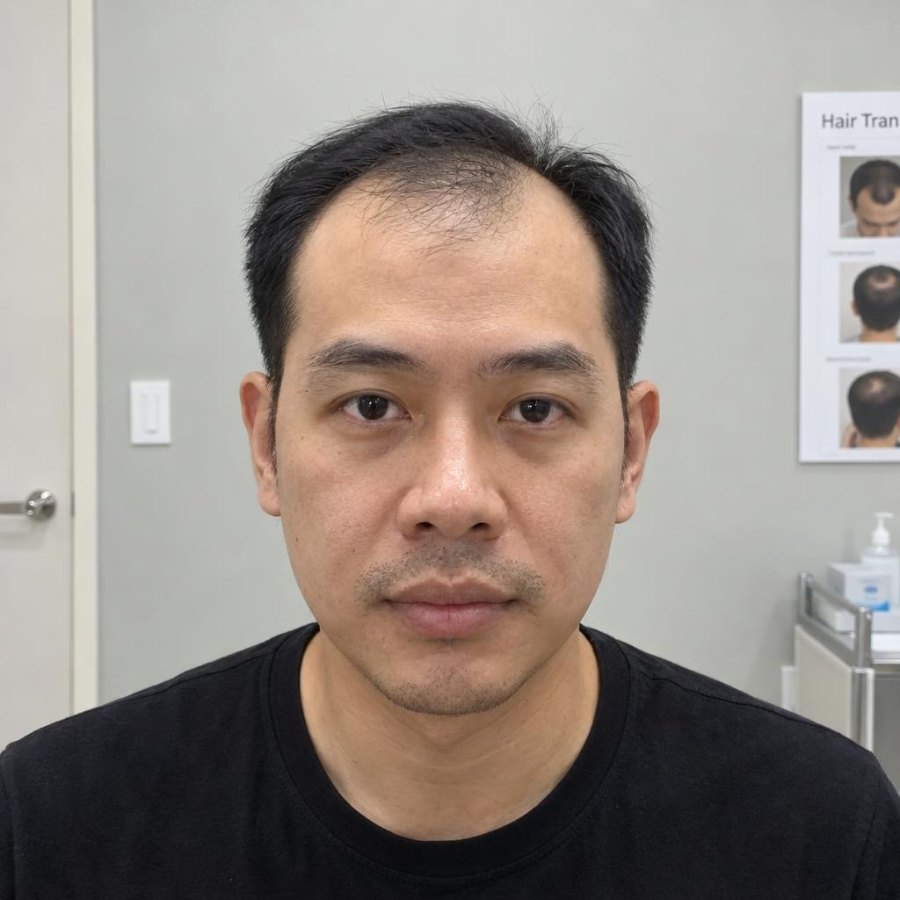
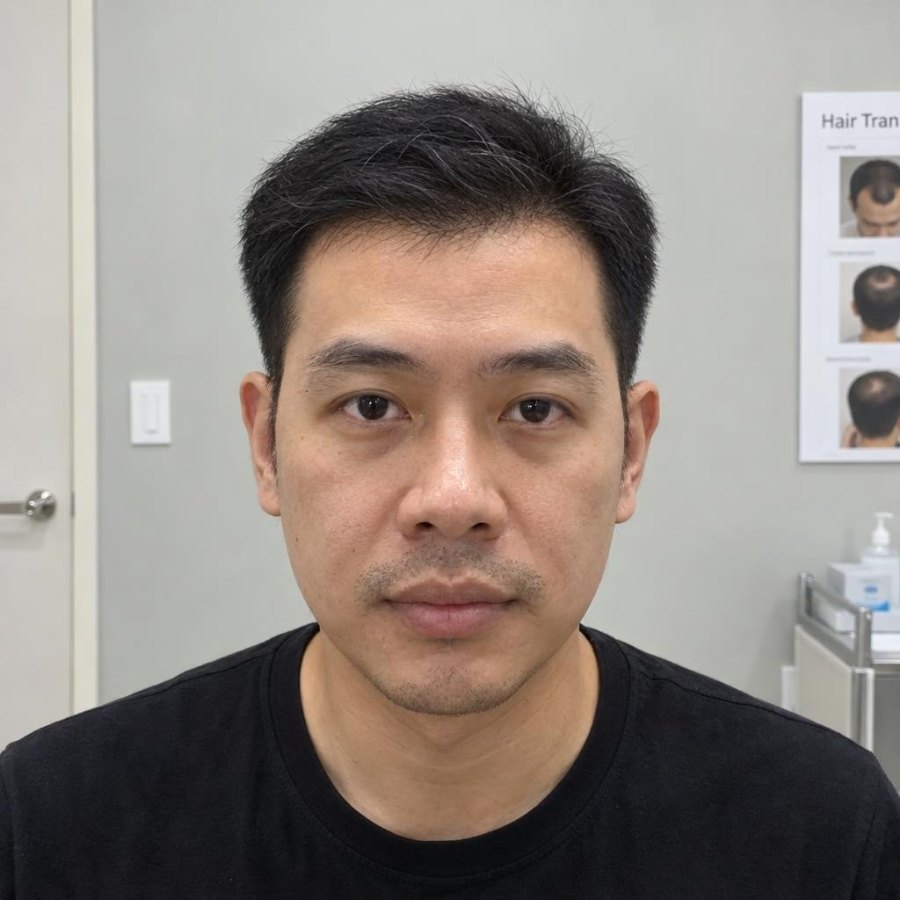
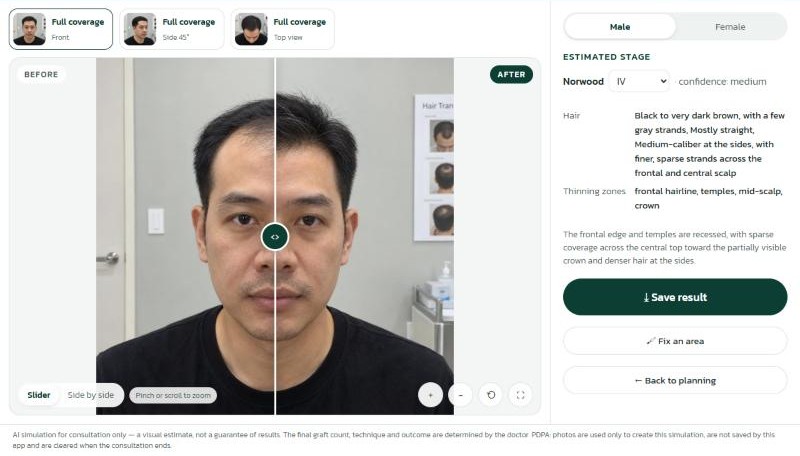
Man, receding hairline
BEFORE
AI SIMULATION


Woman, thinning on top
BEFORE
AI SIMULATION
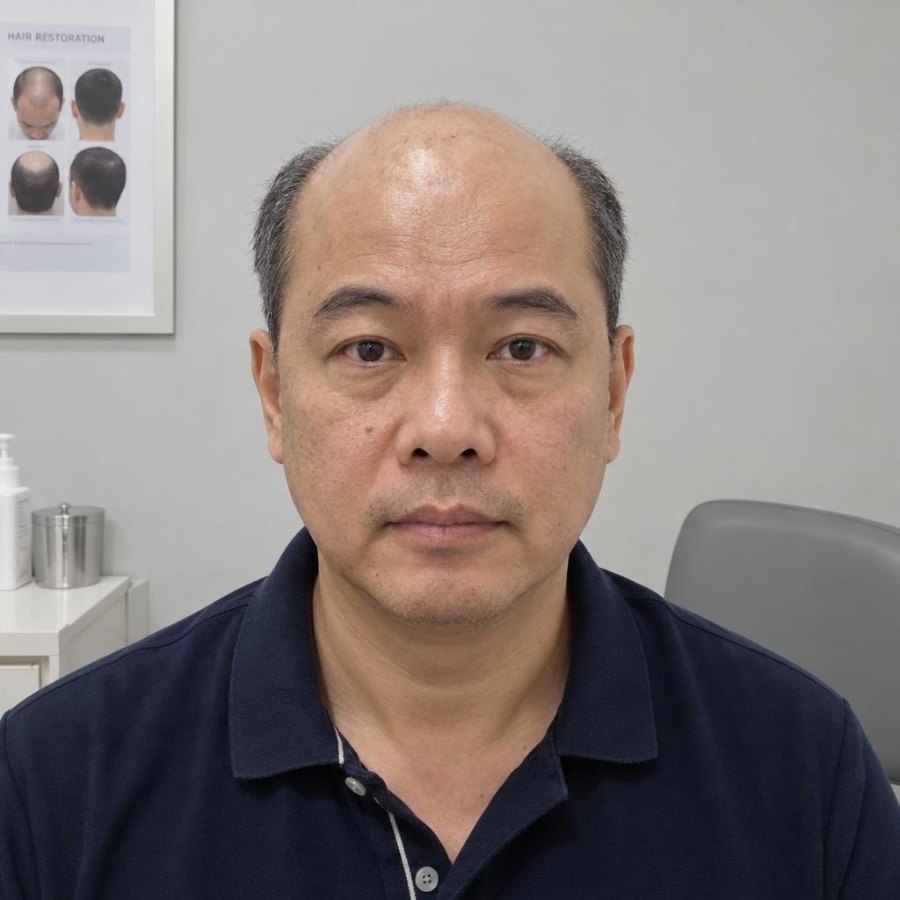
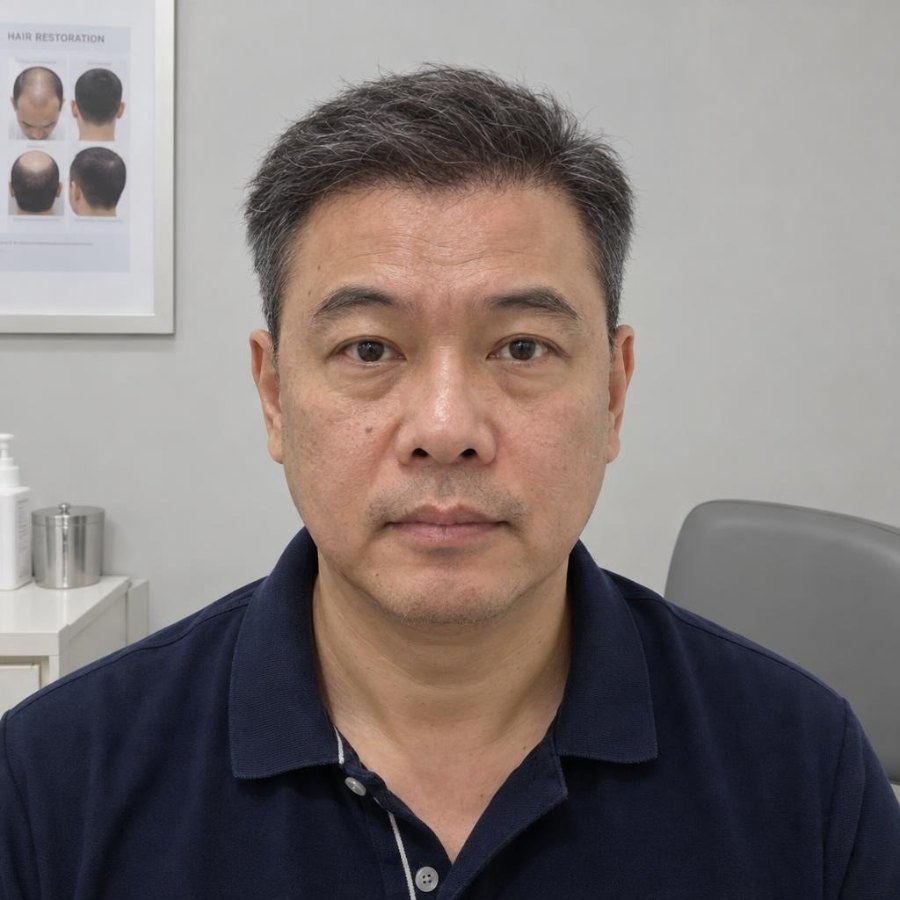
Man, advanced hair loss
AI-generated images for visualisation only — not a guaranteed result.
Hair Design Studio
Examples
BEFORE
AI SIMULATION
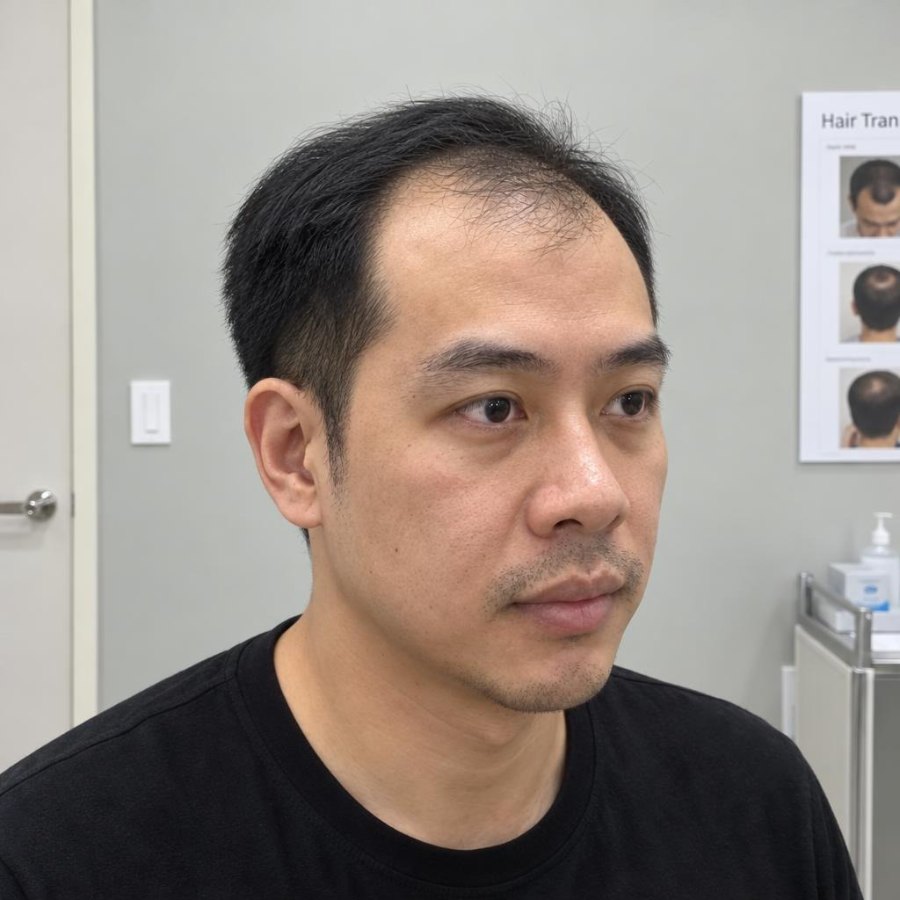
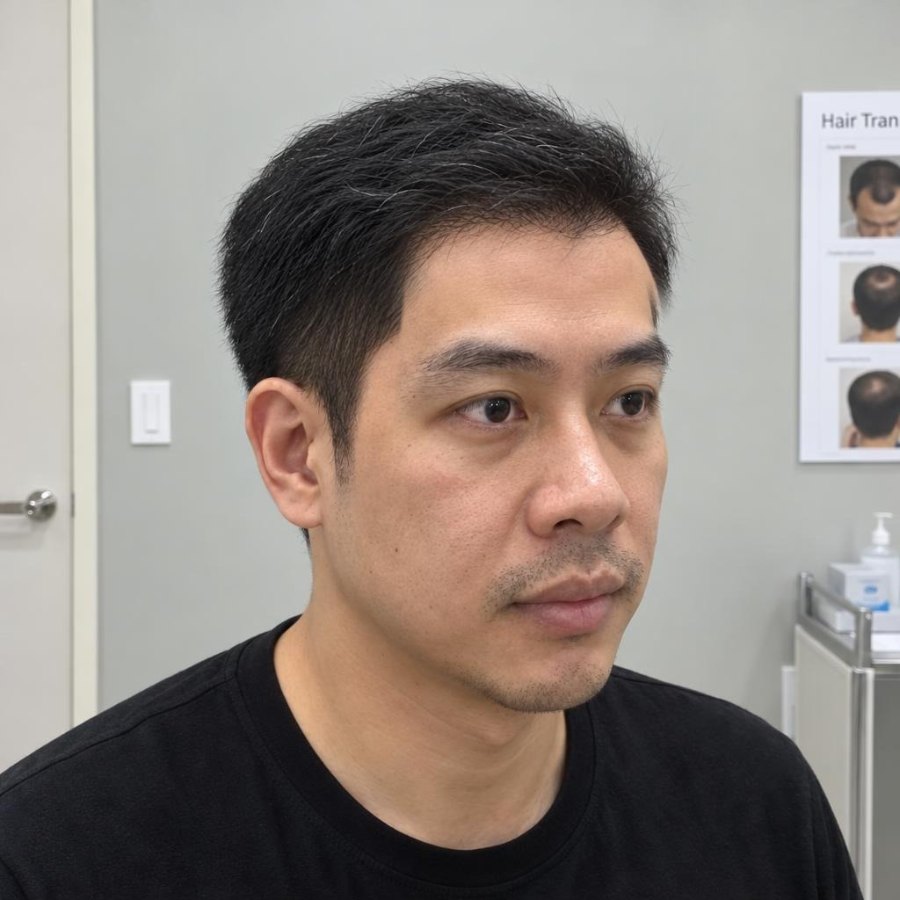
45° view, temples included
BEFORE
AI SIMULATION
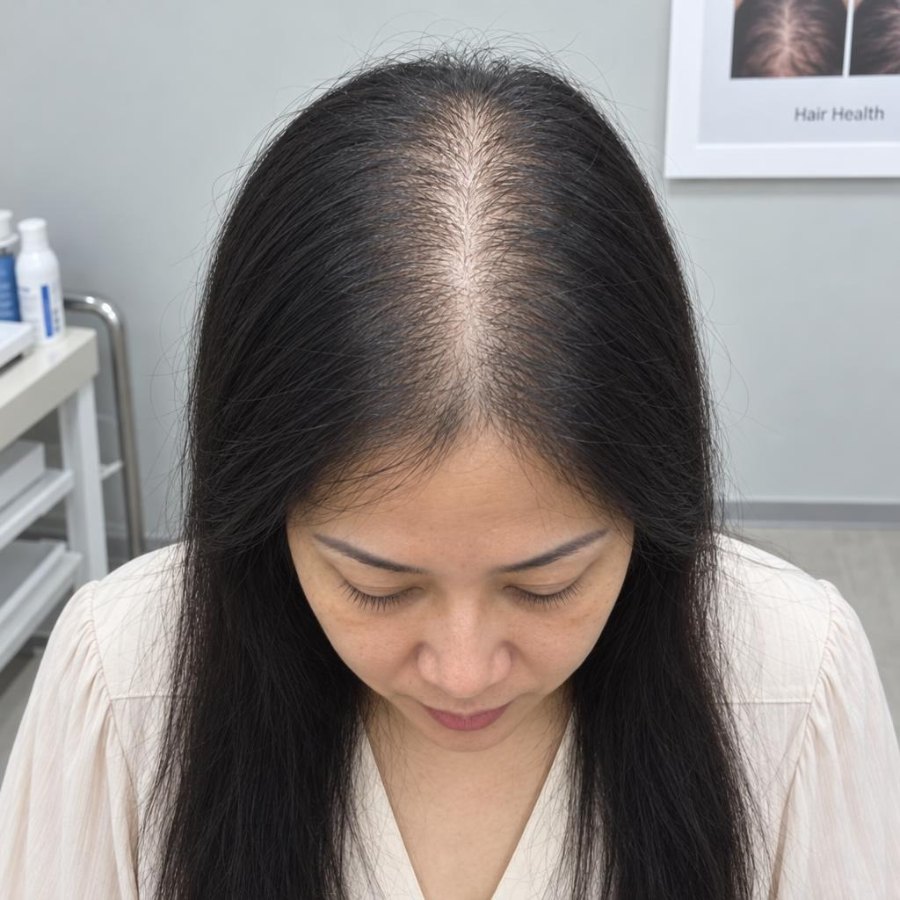
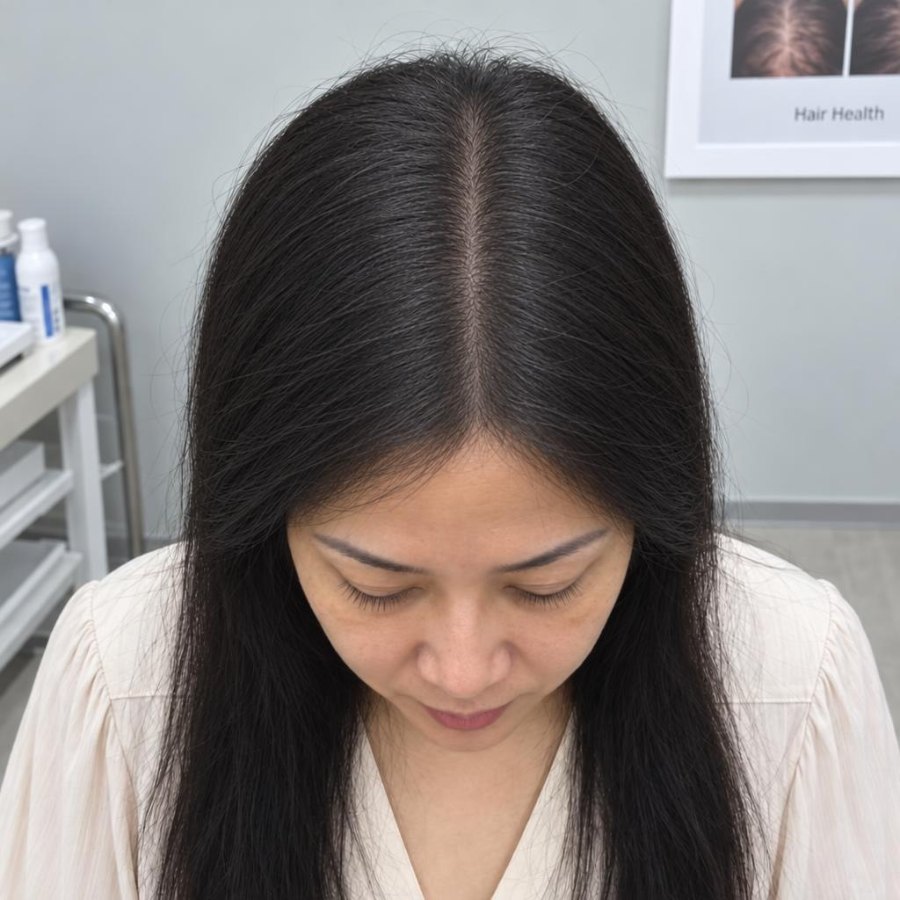
Top view, wide part
BEFORE
AI SIMULATION
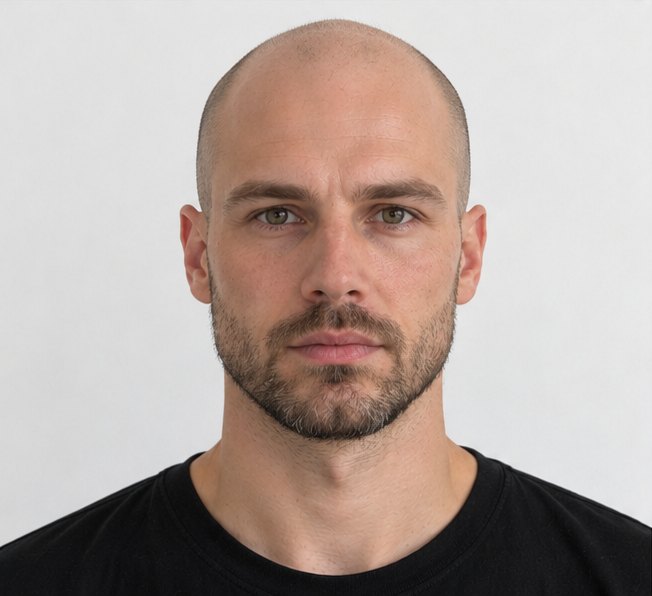

Fully bald — detected automatically
AI-generated images for visualisation only — not a guaranteed result.
Hair Design Studio
Step 1 of 4 · Photos
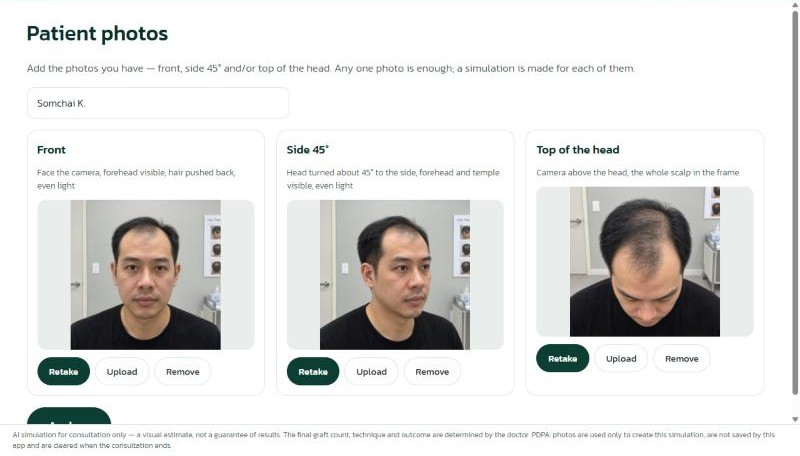
Front, Side 45° and Top — add the ones you have. Any one photo is enough.
A result is made for each photo.
Then tap Analyse.
Works on an iPad, a phone or a computer, in English and Thai.
Hair Design Studio
Step 2 of 4 · Analysis
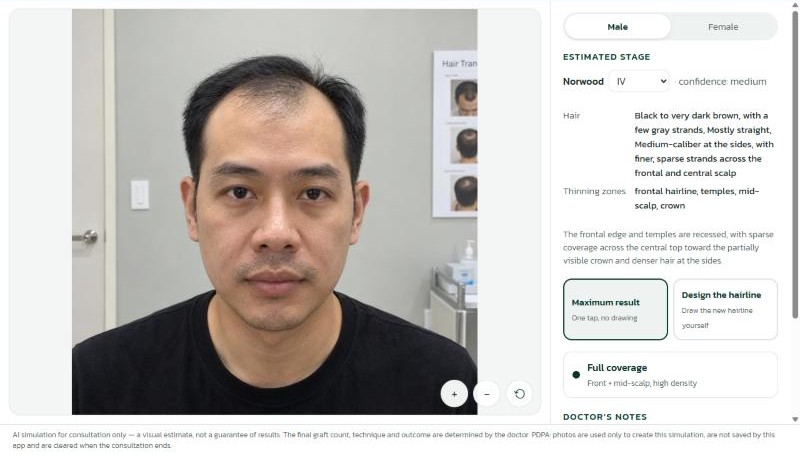
Male / Female — detected automatically, one tap to change.
Stage — Norwood for men, Ludwig for women.
Hair — colour, grey, texture and thinning zones.
Notes for the AI in any language, e.g. “side part”.
Hair Design Studio
Step 3 of 4 · Design the hairline
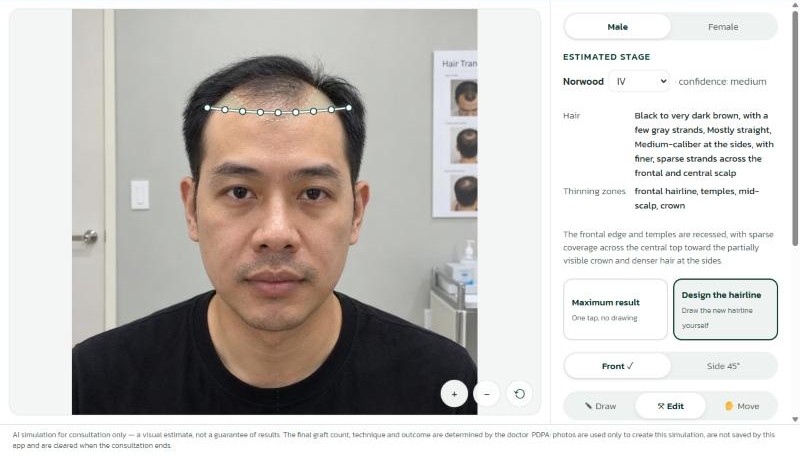
A suggested line is placed for this face automatically.
Draw with a finger or mouse; one side is enough (Symmetry).
Edit — drag the points; Higher / Lower moves the whole line.
The green zone shows where new hair will grow.
Hair Design Studio
Step 3 of 4 · Design the hairline
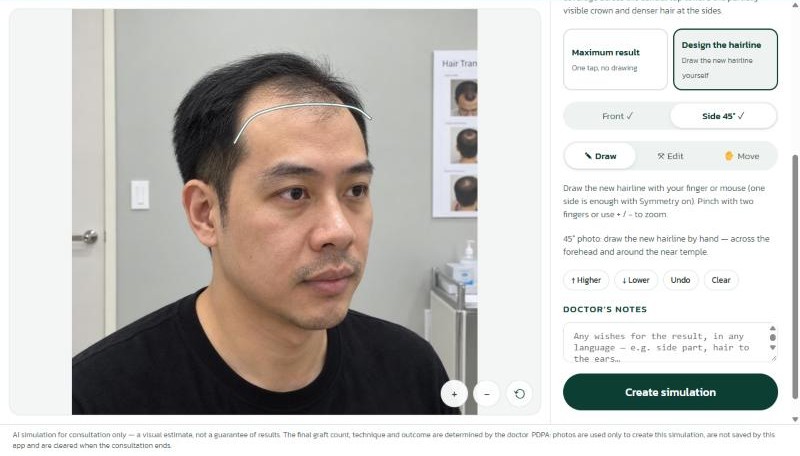
Switch Front / Side 45° above the tools.
A suggested line is placed on 45° too, around the temple.
Adjust it or draw your own.
The patient’s own face is kept; only the hair changes.
Hair Design Studio
Step 4 of 4 · Show the patient
Switch between Front, 45° and Top view.
Drag the before / after slider across the face.
Zoom in on the hairline; full screen for the patient.
Try another design in one tap.
Hair Design Studio
Fine-tuning
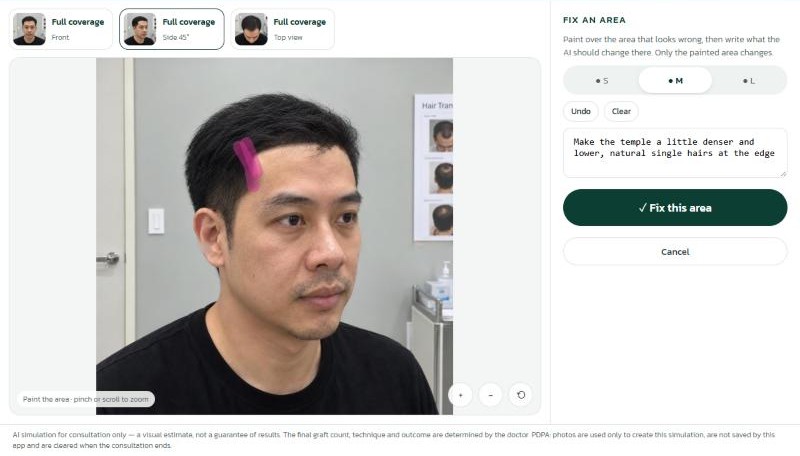
Paint over the part to change.
Write what to change, in any language: “denser at the temple”.
Only the painted part changes — the rest stays exactly the same.
Undo brings the previous version back.
Hair Design Studio
After the consultation
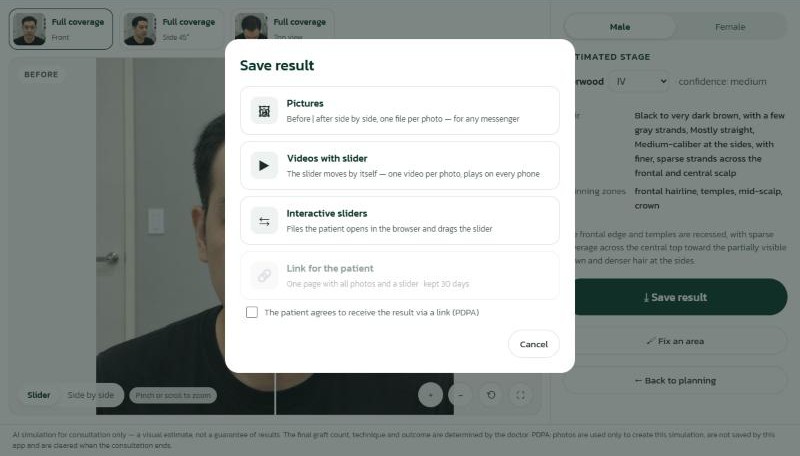
Pictures — before | after with your clinic logo.
Videos — the slider moves by itself; plays in LINE, WhatsApp, Instagram.
Interactive slider — a file the patient opens and drags.
Patient link — only with the patient’s consent (PDPA).